
How to Teleport to a Village in Minecraft (Java and Bedrock)
To teleport to a village in Minecraft, first find the village coordinates using the locate command, then use the teleport command to move directly to that location. The command used to teleport to a village in Minecraft is the /tp command. First run /locate structure village (or minecraft:village_plains in Java), then teleport to the coordinates using /tp.
Java Edition command to teleport to a village in Minecraft
/locate structure minecraft:village_plainsBedrock Edition command to teleport to a village in Minecraft
/locate structure villageMinecraft will return coordinates like:
[120, ~, 450]Now teleport to those coordinates:
/tp @s 120 70 450Using a Y level between 65 and 80 usually places you safely on the ground inside the village.
Enable Cheats in Minecraft Before Teleporting to a Village
Commands like /locate and /tp only work when cheats are enabled in your Minecraft world. If cheats are disabled, the game will not allow you to run command-based actions.
Enable Cheats When Creating a New World
When creating a new Minecraft world, open the world settings and turn Allow Cheats to ON. This setting allows you to use commands in the world.
Enable Cheats in an Existing World (Java Edition)
If the world already exists, you can temporarily enable cheats.
- Press ESC to open the pause menu
- Click Open to LAN
- Turn Allow Cheats to ON
- Click Start LAN World
This will allow commands to work in that session.
Enable Cheats in Minecraft Bedrock Edition
In Minecraft Bedrock Edition, open the Settings menu and go to the Game tab. Turn on Activate Cheats to enable commands in the world.
Once cheats are enabled, you can start using commands.
How to Find a Village in Minecraft Using Commands
The easiest way to find a Minecraft village quickly is by using the locate command.
This command searches the world and gives you the exact coordinates of the nearest village structure.
Java Edition Village Locate Commands
In Java Edition you can locate specific village types based on biome.
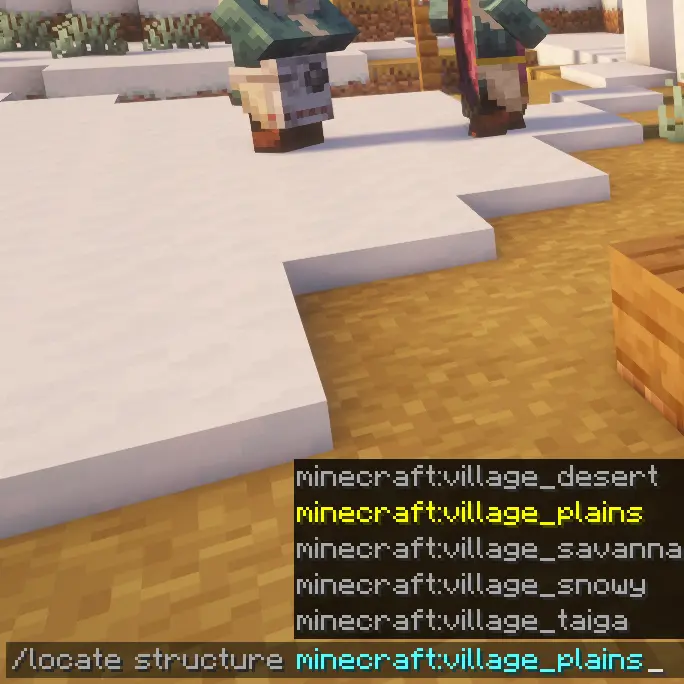
Plains village
/locate structure minecraft:village_plainsDesert village
/locate structure minecraft:village_desertSavanna village
/locate structure minecraft:village_savannaTaiga village
/locate structure minecraft:village_taigaSnowy village
/locate structure minecraft:village_snowyMinecraft will display coordinates in chat once the village is found.
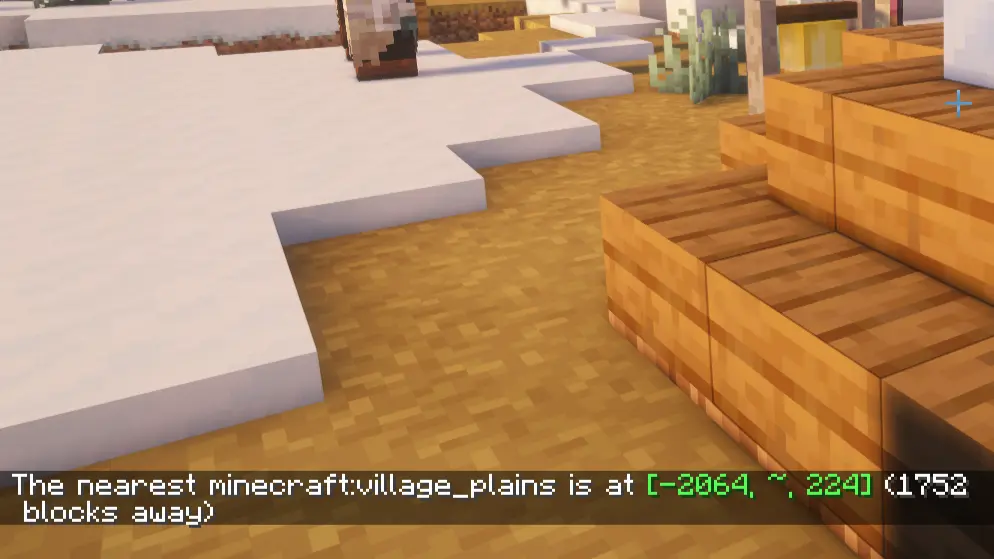
Example:
[120, ~, 450]These numbers represent the X, Y, and Z coordinates of the village.
Bedrock Edition Village Locate Command
Bedrock Edition uses a simpler command.
/locate structure villageThis command searches the world and returns the nearest village coordinates.
After you have the coordinates, you can teleport there instantly.
Minecraft Teleport Command to Reach the Village
Once you know the coordinates, use the Minecraft teleport command.
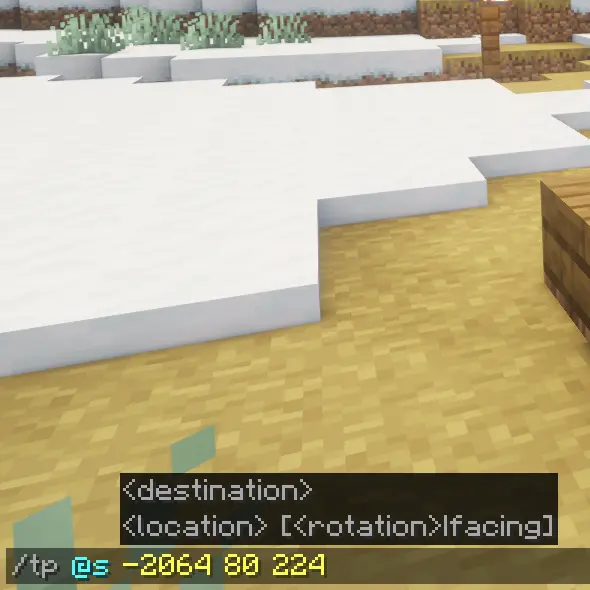
General format:
/tp <player> <x> <y> <z>Example:
/tp @s 120 70 450Explanation
- @s refers to yourself
- X coordinate controls east or west position
- Y coordinate controls height
- Z coordinate controls north or south position
When you run the command, your character moves directly to that block location.
Choosing the Correct Height (Y Coordinate)
The locate command often returns a tilde (~) instead of a Y value.
That means Minecraft did not specify the height.
For villages, safe Y values are usually:
- 65
- 70
- 75
- 80
Example safe teleport command:
/tp @s 120 75 450This usually places you on or above the village terrain.
Teleporting Safely Without Suffocating
Sometimes teleporting can place the player inside terrain or inside a building.
Two simple tricks prevent this.
Teleport Above the Village
Instead of teleporting to ground level, teleport higher.
Example:
/tp @s 120 100 450You will spawn above the village and fall safely to the ground.
Use Creative Mode Before Teleporting
Another safe method is temporarily switching to Creative Mode.
/gamemode creativeTeleport to the village and check the terrain.
Then switch back to survival.
/gamemode survivalThis prevents fall damage or suffocation inside blocks.
How to Find a New Village in Minecraft Using the Locate Command
When using the locate structure village command in Minecraft, the game always returns the nearest village coordinates based on your current location. If you run the locate command again without moving far away, Minecraft will usually give the same village location every time.
To find a different village in Minecraft, you need to move a long distance away from the first village before using the locate command again.
The easiest method is to teleport yourself far away and then search for another village.
Example teleport command:
/tp @s 5000 100 5000After moving to a new area of the world, run the locate command again to find another village nearby.
Java Edition:
/locate structure minecraft:village_plainsBedrock Edition:
/locate structure villageBecause you are now far from the previous location, Minecraft will return new village coordinates instead of the same village. This method helps players quickly find multiple villages in Minecraft without repeatedly getting the same coordinates.
Understanding Minecraft Block Coordinates
Minecraft worlds are built from a grid of blocks.
Every location uses three coordinates.
X Coordinate
East and west position in the world.
This is the first number from the locate command.
Y Coordinate
Height or elevation.
Choosing the correct Y value prevents spawning underground.
Z Coordinate
North and south position.
This is the third number in the coordinate set.
Teleporting moves your character directly to that exact block location.
Village Types You Can Teleport To
Minecraft villages generate in different biomes.
Each biome has a unique village style.
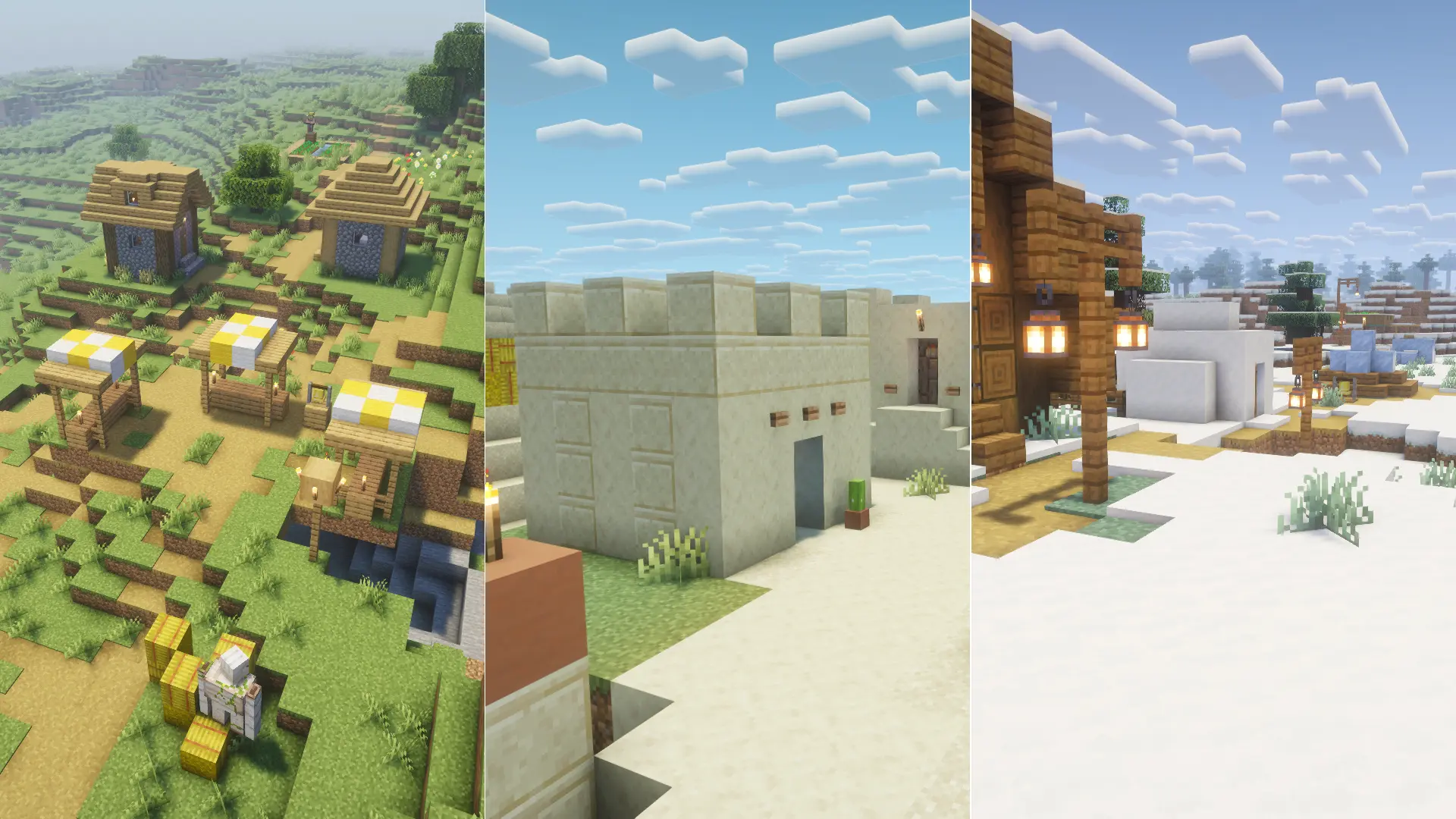
Plains Village
The most common Minecraft village.
Features
- oak houses
- large crop farms
- many villagers
- possible blacksmith loot
Good location for starting survival worlds.
Desert Village
Spawns in desert biomes.
Features
- sandstone buildings
- wide streets
- clear visibility
These villages are easy to see from far away.
Savanna Village
Savanna villages use acacia wood.
Features
- orange colored buildings
- elevated platforms
- unique layout on hills
Taiga Village
Spawns in colder forest regions.
Features
- spruce wood houses
- darker structures
- surrounded by dense forests
Snowy Village
Spawns in snowy biomes.
Features
- snow covered buildings
- villagers wearing winter clothes
- icy terrain
These villages look unique but survival resources are sometimes limited.
Why Villages Are Important in Minecraft
Villages are one of the most valuable structures in Minecraft survival.
Inside a single village you can get:
- food from farms
- beds for respawn points
- villagers for trading
- iron golems for protection
- emerald trading economy
Many players build their main base near a village because villagers offer powerful trades like enchanted books, tools, and armor.
Using commands allows you to find villages instantly instead of exploring thousands of blocks.
Quick Summary About How to Teleport to a Minecraft Village
To teleport to a village in Minecraft:
- Use the locate command
Java Edition
/locate structure minecraft:village_plainsBedrock Edition
/locate structure village- Copy the coordinates shown in chat
- Teleport using
/tp @s X Y ZChoose a safe height like 70 to 80 or teleport higher if unsure.
Once you arrive, explore the village, trade with villagers, and set up your base.
Frequently Asked Questions
How do you teleport to a village in Minecraft?
To teleport to a village in Minecraft, first find the nearest village using the locate command. In Java Edition you can type /locate structure minecraft:village_plains, and in Bedrock Edition you can type /locate structure village. The game will show the village coordinates in chat. After that, use the teleport command /tp @s X Y Z and replace X Y Z with the coordinates shown.
What command finds a village in Minecraft?
The command used to find a village in Minecraft is the locate structure command. In Java Edition players can use /locate structure minecraft:village_plains or search for other biome villages like /locate structure minecraft:village_desert or /locate structure minecraft:village_savanna. In Bedrock Edition the command /locate structure village finds the nearest village.
Can you teleport to a village in Minecraft survival mode?
Yes, players can teleport to a village in survival mode if cheats are enabled in the world settings. After enabling cheats, you can run the locate command to find the village and then use /tp @s X Y Z to teleport to the coordinates.
What height should you teleport to for a Minecraft village?
Minecraft villages usually generate around Y level 65 to 80. When using the teleport command such as /tp @s 120 75 450, choosing a Y value between 65 and 80 will usually place you safely on the ground. If you are unsure about the terrain height, teleporting higher like /tp @s 120 100 450 can help avoid spawning inside blocks.
Can you teleport to different village types in Minecraft?
Yes, in Minecraft Java Edition you can search for specific village types using commands like /locate structure minecraft:village_desert, /locate structure minecraft:village_savanna, /locate structure minecraft:village_taiga, or /locate structure minecraft:village_snowy. These commands help you find villages that generate in different biomes.
Why do players teleport to villages in Minecraft?
Players teleport to villages because villages provide many useful resources. Villages contain beds, food farms, villagers for trading, and iron golems for protection. Finding a village quickly using commands like /locate structure village and teleporting with /tp @s X Y Z helps players progress faster in survival mode.